Shared procedures and version history.
Protocols / Sample preparation
Sample preparation checklist
Before starting, confirm the sample details and record the preparation in your lab notes.
Before you begin
Research group management
Different people. Different questions. A lot to keep together. Lab brings your mail, tasks, projects and team conversations into one workspace.
New to SeqDesk? Request a workspace




01 / The work between the experiments
Tasks on a board. Notes in a document. Decisions in a chat. Follow-ups from a meeting. The research is connected. Give the work around it a shared place, too.
Six places to look. One research question.
Lab connects channels, tasks, shared files, project planning and notes. Meeting links and follow-ups can stay with the work they concern.
Concept illustration · From separate tools to shared research context.Add-ons for your lab
Plan seminars, maintain protocols and keep projects moving. Choose the tools your group needs, in one shared workspace.
Before starting, confirm the sample details and record the preparation in your lab notes.
More ways to make Lab yours.
Links, working hours, invoices and timesheets.
Shared procedures and version history.
Talks, speakers and shared schedules.
Milestones, documents and related tasks.
Notes and knowledge for your group.
The resources your lab uses every day.
Keep track of your working day.
Recurring invoices and receipts, together.
Monthly submissions and signature status.
Before starting, confirm the sample details and record the preparation in your lab notes.
From the first samples to a reproducible analysis.
02 / Science in the conversation
Share a PDB file in the channel. Explore its 3D structure and discuss it in a thread, with the model and the questions together.
Open the example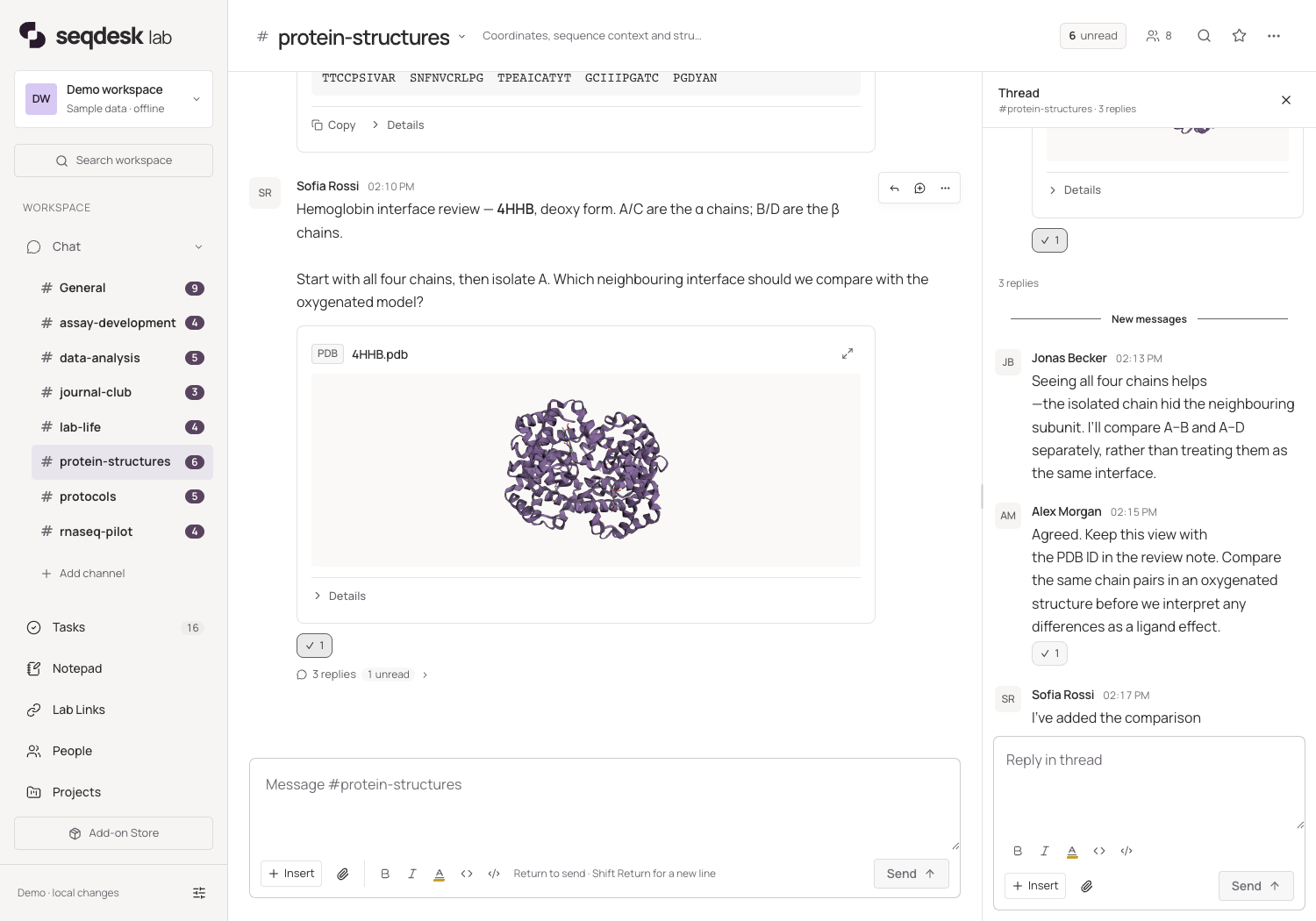
03 / Intelligence, on your terms
Keep personal work on your Mac. Choose what to share with your group. Connect optional AI through a separate endpoint you control.
Your personal workspace lives on your device. Your mail and calendar connect to your existing mail server. Joining a lab doesn’t upload your mailbox or private notes to the shared workspace.
Local workspace · Your existing mail accountShare the work your group needs. Assign tasks to colleagues and keep decisions with the project. The collaboration server can run on your institution’s own infrastructure, with access through Mac and web.
Your infrastructure · Your authorised teamGet help sorting mail, writing drafts and planning next steps. Turn AI on when you want it, and choose where the information it needs is sent.
Using AI does not share your personal work with your lab. The information needed for an AI request goes to the service you choose.
Explore Lab’s AI options ↗Help that understands the group’s shared research context. Designed to help people find information and follow through, with decisions staying with the team.
Across the life sciences
The science belongs in the conversation. Choose a tool to watch it in action, from the first interaction to the follow-up with a colleague.
Follow a dilution series, update an illustrative colony count, and see the CFU estimate recalculate from the recorded inputs.
The dilution steps keep their transfer volumes. Change the illustrative count from 80 to 120. Keep the plated volume, calculation and original inputs with the discussion.

This animated example could not load. Open the example below to try again.
Bring your group to SeqDesk
Already have access?
Sign in to your workspace ↗
For Helmholtz-affiliated groups
Request a shared SeqDesk Lab workspace for your Helmholtz group, hosted at HZI. We’ll help you get started and confirm your group’s eligibility.
For research groups outside Helmholtz
We’re looking for research groups to try SeqDesk Lab in their everyday work and share their feedback.
Prefer email? pmu15@helmholtz-hzi.de
A shared workspace. A choice of home.
Helmholtz groups and research pilots can request free hosted access. For other deployments, there are two ways to run Lab. We install and maintain Lab on your infrastructure, or host it for you. Choose the setup that fits your team.
For your institution’s shared workspace.
Priced for your setup and scopeWe install and configure Lab on your institution’s infrastructure.
Ongoing maintenance and updates are included in the yearly plan.
Use your own servers or suitable infrastructure from a provider your institution trusts, such as Helmholtz Cloud ↗, subject to access and deployment requirements.
For the people in your shared workspace.
Pricing based on your team’s seatsWe host Lab for you. Your team connects through the Mac app and the web.
We handle the hosted workspace’s operation and updates.
A per-seat plan for your group, without running your own servers.
Whether Lab runs on your infrastructure or ours, your data belongs to you. Export it in reusable formats so you can keep a copy, work with it in other tools or move it elsewhere. You stay in control of where your work goes next.
We can adapt Lab and create additional modules for research groups at your institution. Tell us what your work needs, and we’ll scope it together.
Custom development is scoped and quoted separately.Both options host the shared Lab workspace. Your personal Mac workspace and your choice of AI endpoint remain separate.
A Mac app. A web companion.
Lead the work from the native Mac app. Bring your group into the shared workspace on the web. Choose what to share; your mailbox and private records stay separate.
01 / macOS
Mail triage, project management and people records, alongside shared tasks and team chat.
Get the Mac app02 / Web
Shared chat, tasks and a member directory. Scientific inserts bring more context to your conversations.
Explore the chat tools